
New Tool 🚀 Category Ranking Tool
A new tool for analyzing your app's market performance - the Category Ranking Report. which allows you to monitor how your app and competitors rank across global store charts and categories.
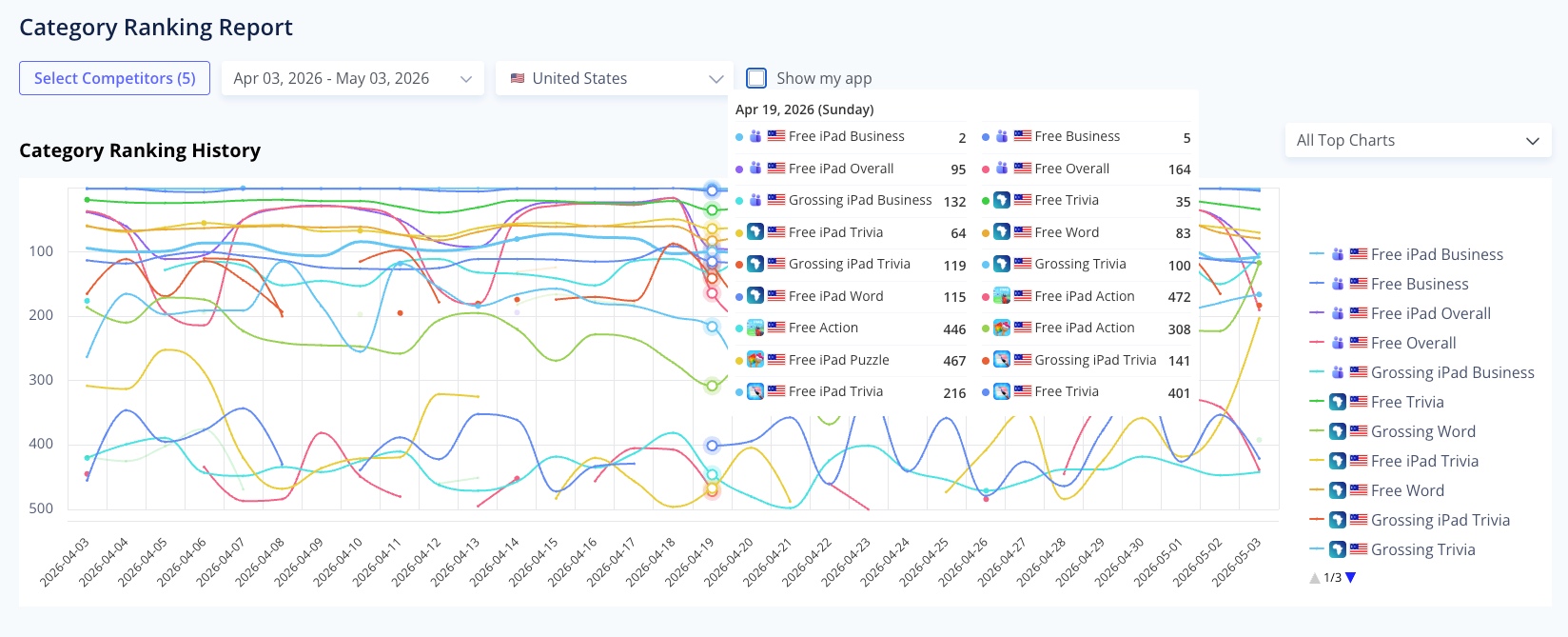
Key features:
- Any App's Historical ranking charts: Select up to 5 apps and one specific country to track changes in rankings over your chosen time period.
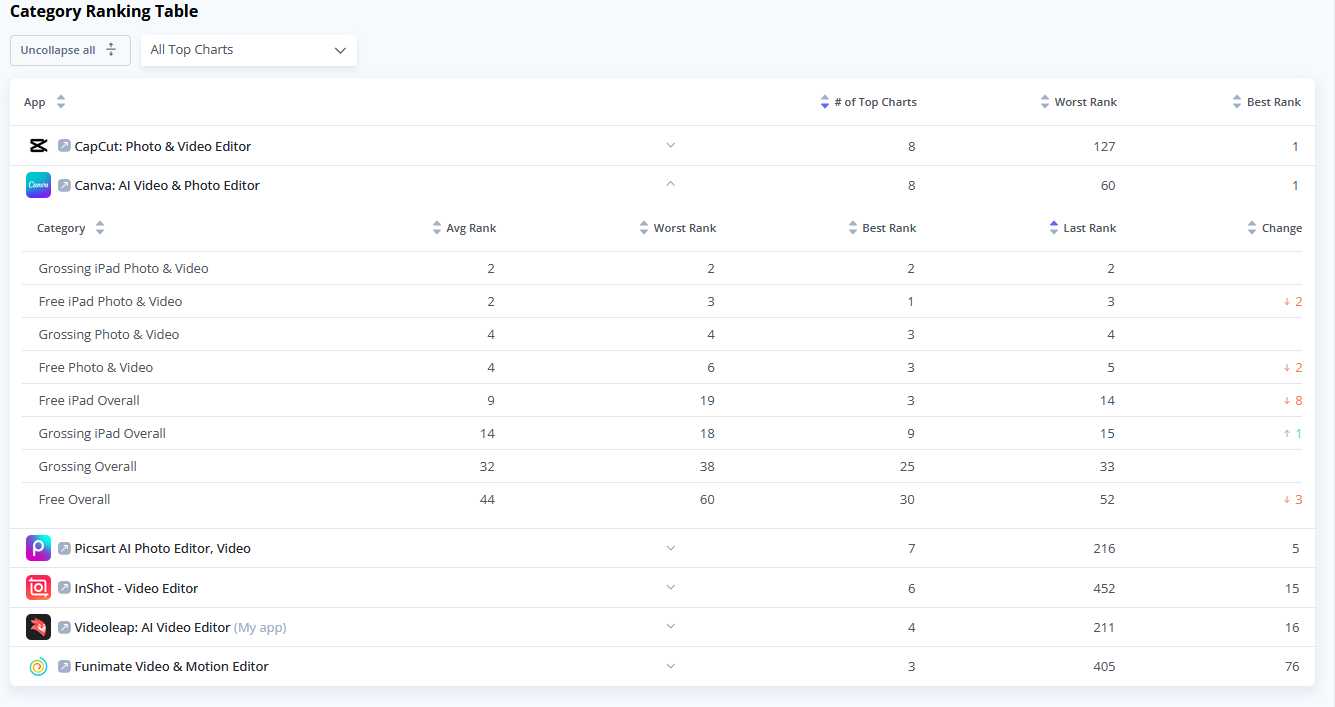
- Table View: shows the number of charts an app appears in, its best rank, and its worst rank within a selected timeframe.
- You can expand any app within the table to view detailed statistics for each category, including the best, worst, average, and latest rank, as well as the overall change.
New Tool 🔍 Search Ads Keyword Analysis
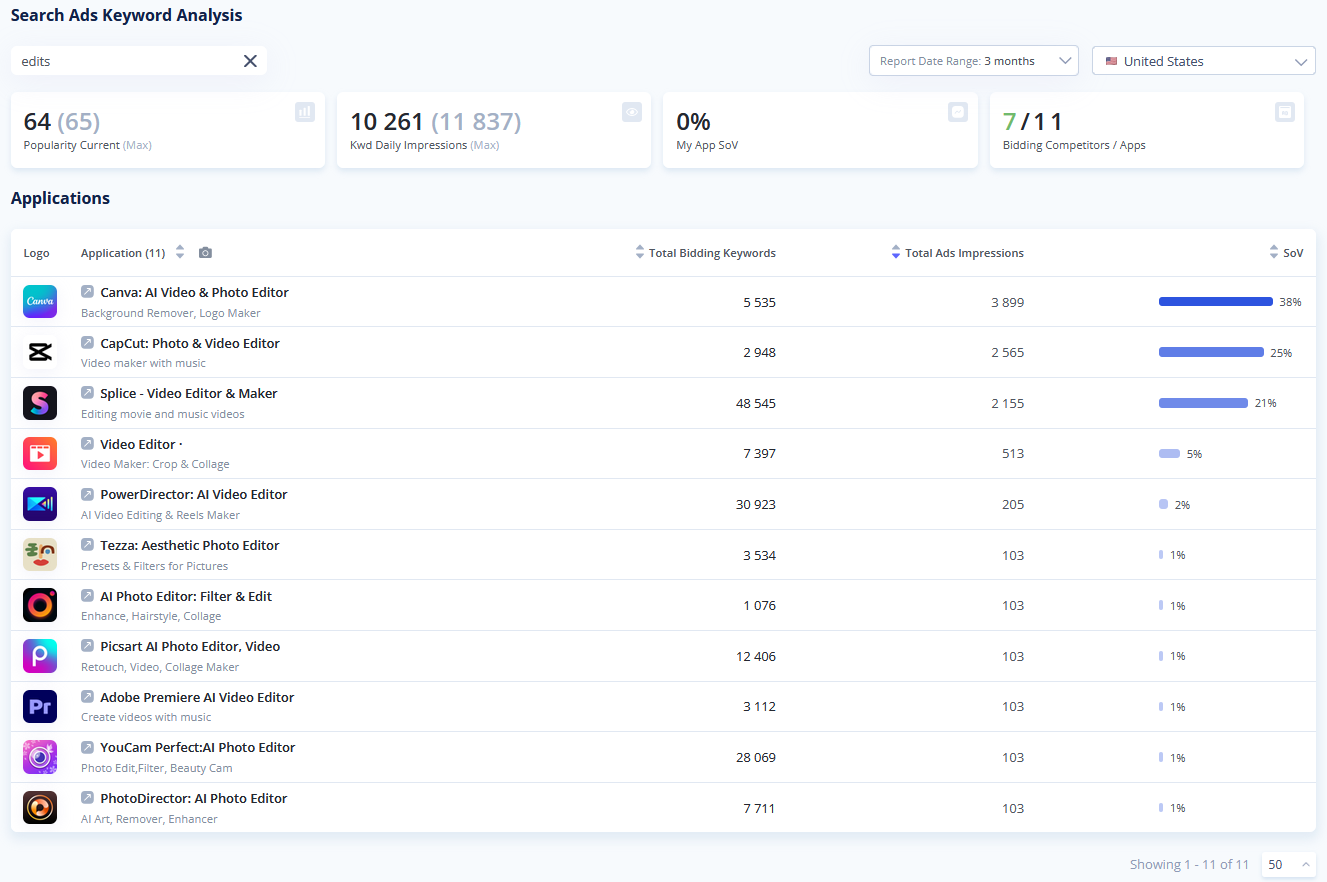
This tool allows you to search for specific keywords and analyze which applications are actively bidding on those terms.
Key features:
- Competitor bidding insights: Enter any keyword to see a comprehensive list of apps bidding on it, helping you understand the competitive landscape for specific user queries.
- Seamless cross-navigation: The numbers in the "Total Bidding Keywords" column function as direct links. Clicking them takes you directly to the App Analysis tool, where you can explore that competitor’s keyword strategywhich applications are actively bidding on those terms.
- The top section provides immediate context for the search term, displaying Current/Max Popularity, Keyword Daily Impressions, your app's Share of Voice (SoV), and the total number of bidding competitors.
- Detailed application breakdown: The main table provides data for each bidding app, detailing their Total Bidding Keywords, Total Ads Impressions, and their individual Share of Voice (SoV) for the selected keyword.
Open Apple Ads Keywords Analyzer
Update Competitors Finder Updates – The Easiest Way to Find All Competitors in Your Niche
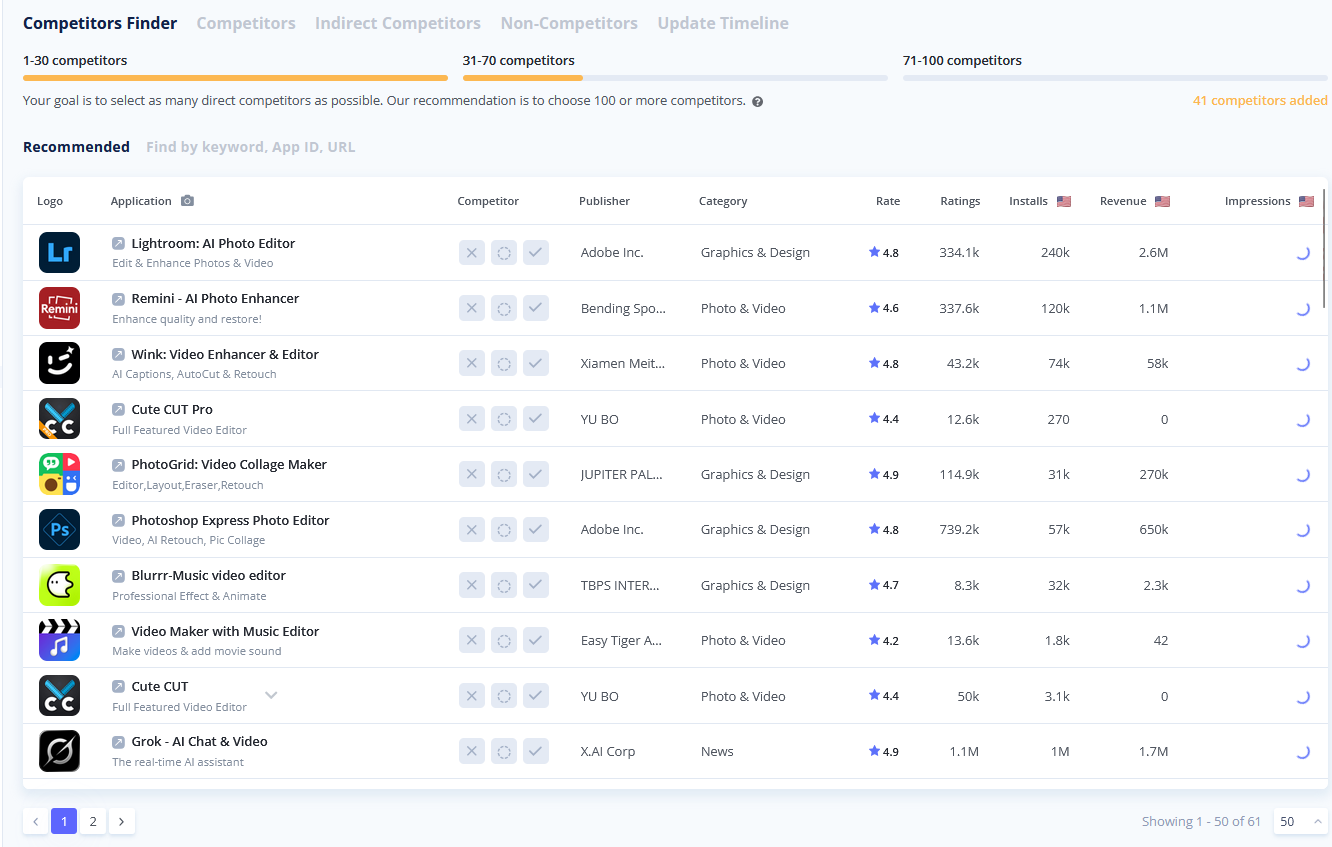
We have updated the Competitors Finder to make the process of identifying and selecting your market rivals smoother and more flexible.
Key improvements:
- Now you get a full list of potential competitors. Mark apps at your own pace and click "Update Competitors" when you are ready to refresh the recommendations based on your input.
- Expanded search options: In addition to standard keyword searches, you can now find specific competitors by directly pasting their App Store URL or App ID into the search bar.
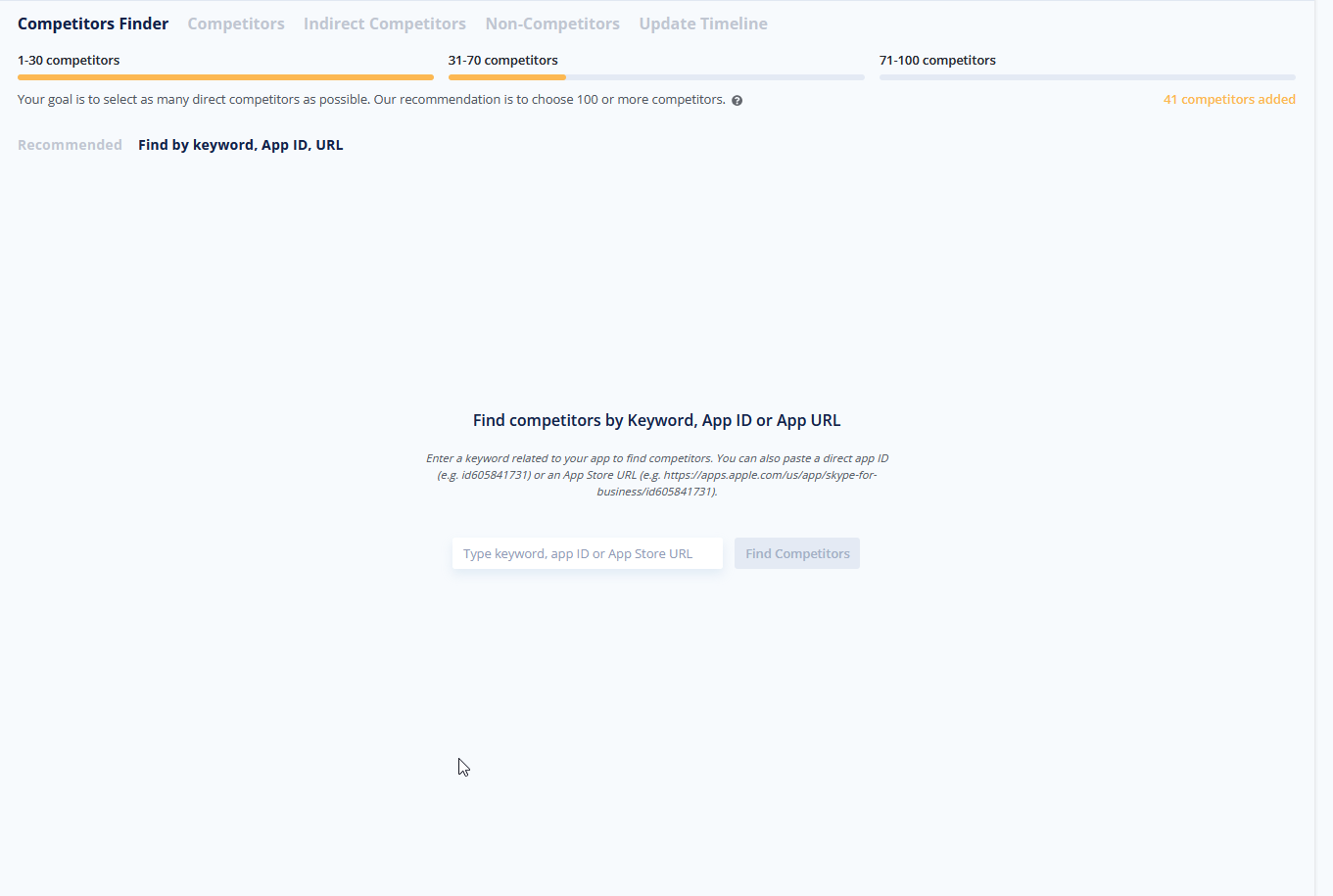
- Usability enhancements:
- Persistent screenshot view: Your preference for displaying app screenshots is now saved automatically and will remain active when you switch between tabs.
- Improved layout: We have widened the "Category" column to ensure that full category names are displayed clearly without being truncated.